Multi-SIP, single goal
Map two or three different funds to the same goal — say two equity SIPs both feeding 'Car by 2026'. Allocations split cleanly.
Goal-based investment tracker for Zerodha. Tag SIPs to life goals like a car, emergency fund, or down payment, and forecast your completion date with live XIRR.
Gooalis a goal-based investment tracker for Indian investors who use Zerodha. You connect your own Kite Connect Personal API key, tag every SIP to a personal goal — like “Car by 2026”, “Emergency fund”, or “House down payment” — and Gooal forecasts your goal completion date using XIRR computed from your real order history. Credentials are encrypted with AES-256-GCM and SIP data is fetched live from Zerodha — never stored.
Map two or three different funds to the same goal — say two equity SIPs both feeding 'Car by 2026'. Allocations split cleanly.
Each instalment is a real cash flow. Gooal computes XIRR from your actual orders, then projects to your target.
What if you top up ₹2,000/month? Slide a number, watch the ETA shrink. No spreadsheet needed.
Every Zerodha user brings their own API key. Gooal never becomes a broker. Gooal never stores your investment data. Gooal never sees your password.
You bring your own credentials. Sign up once on Zerodha's developer site, create a free Personal app, then plug Gooal in and you're done.
https://gooal.in/api/kite/callback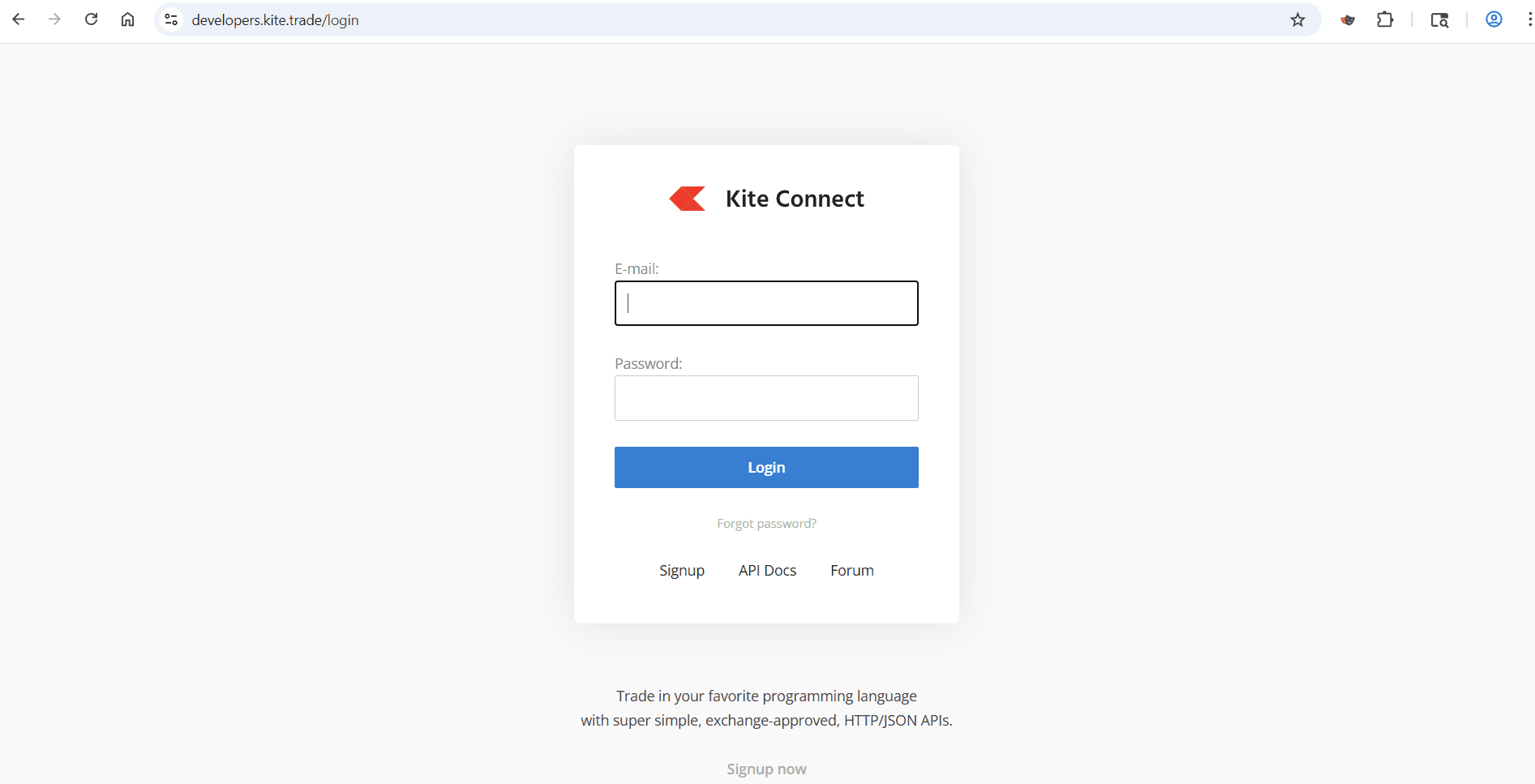 1
1Step 1 of 4
Head to developers.kite.trade and log in with your Zerodha credentials, or sign up if it's your first visit.
 2
2Step 2 of 4
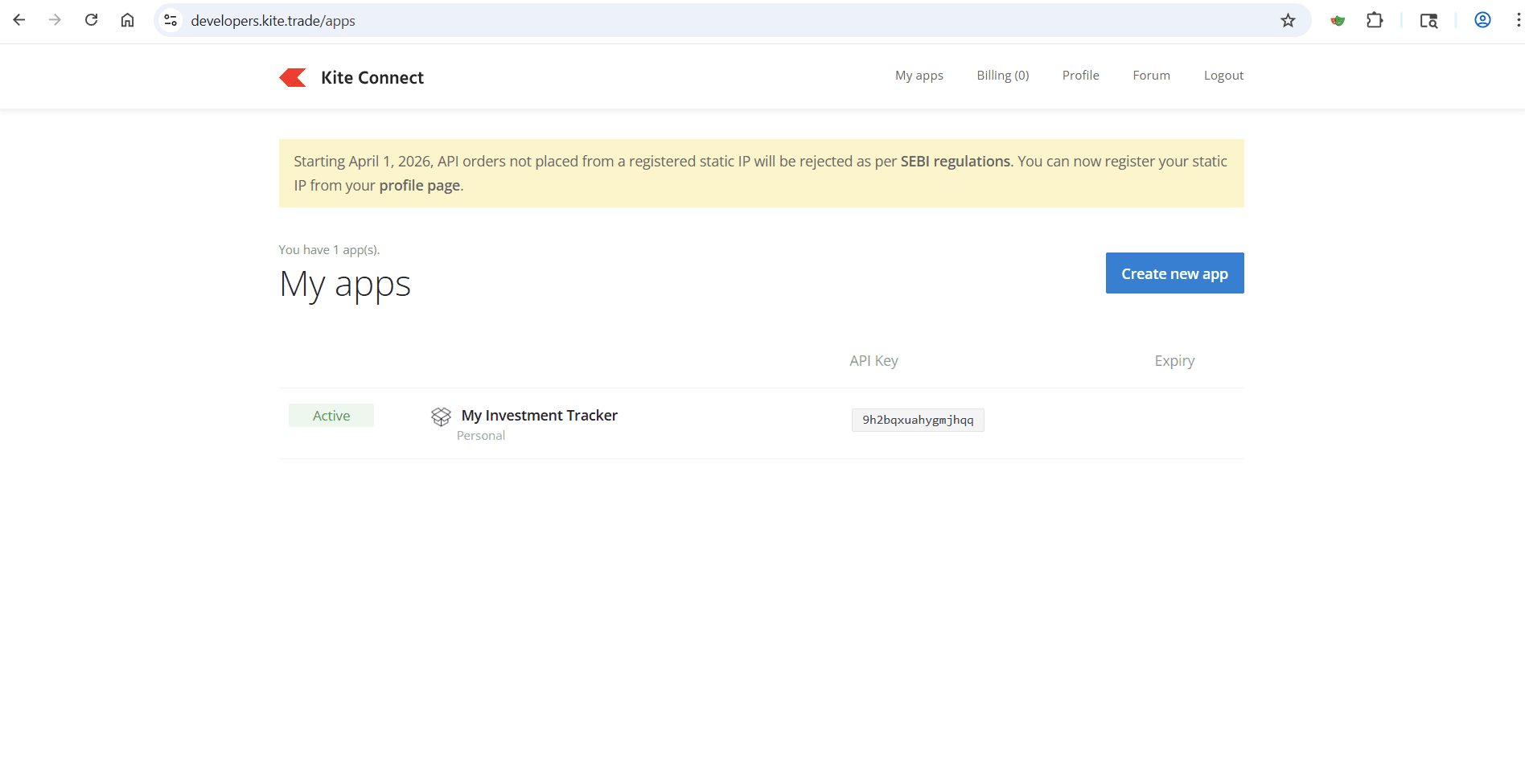
Open the My Apps dashboard and hit the blue Create new app button in the top right. You only ever need to do this once.
 3
3Step 3 of 4
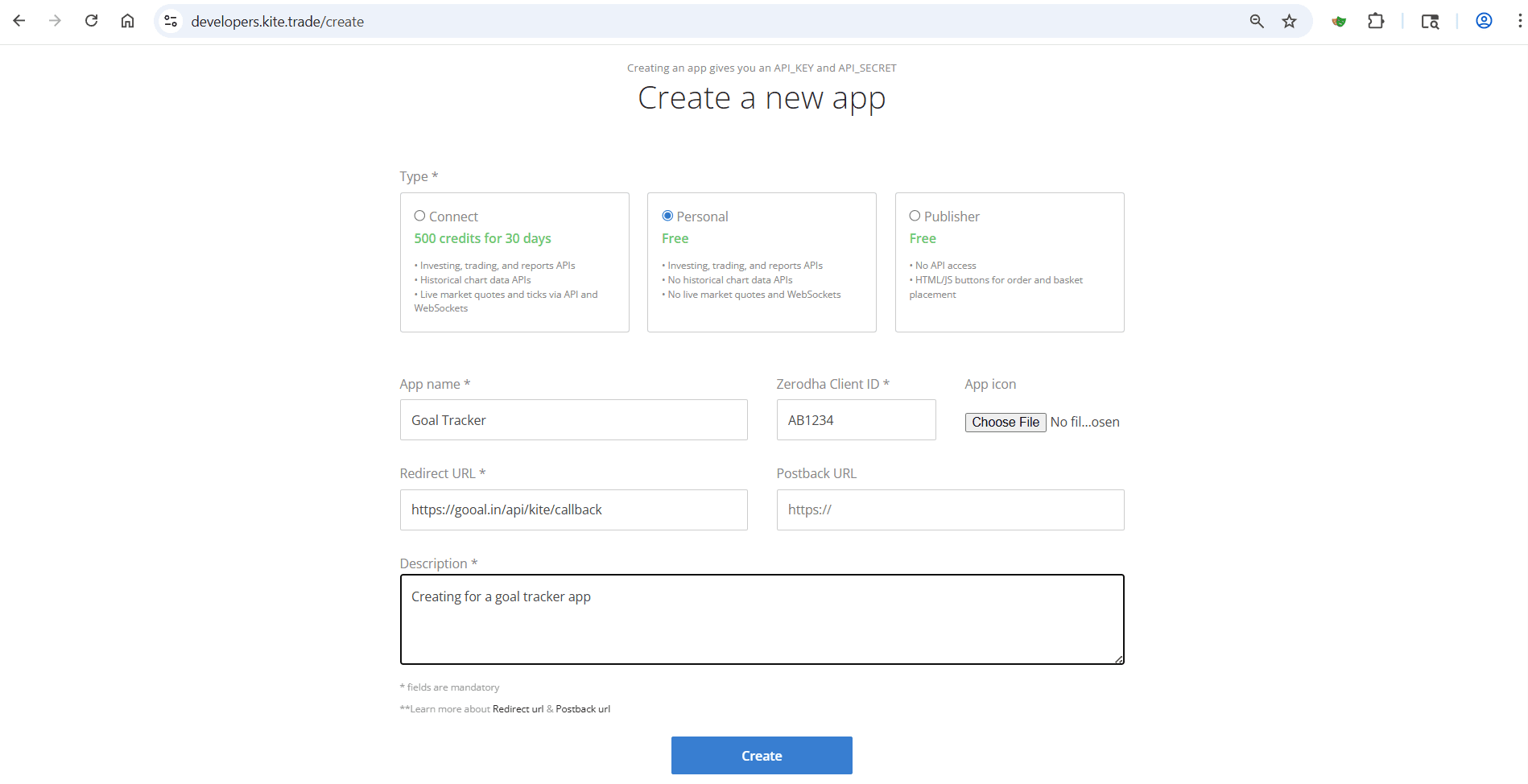
Pick the Personal type (it's free), name your app, enter your Zerodha client ID, and set the redirect URL to https://gooal.in/api/kite/callback.
 4
4Step 4 of 4
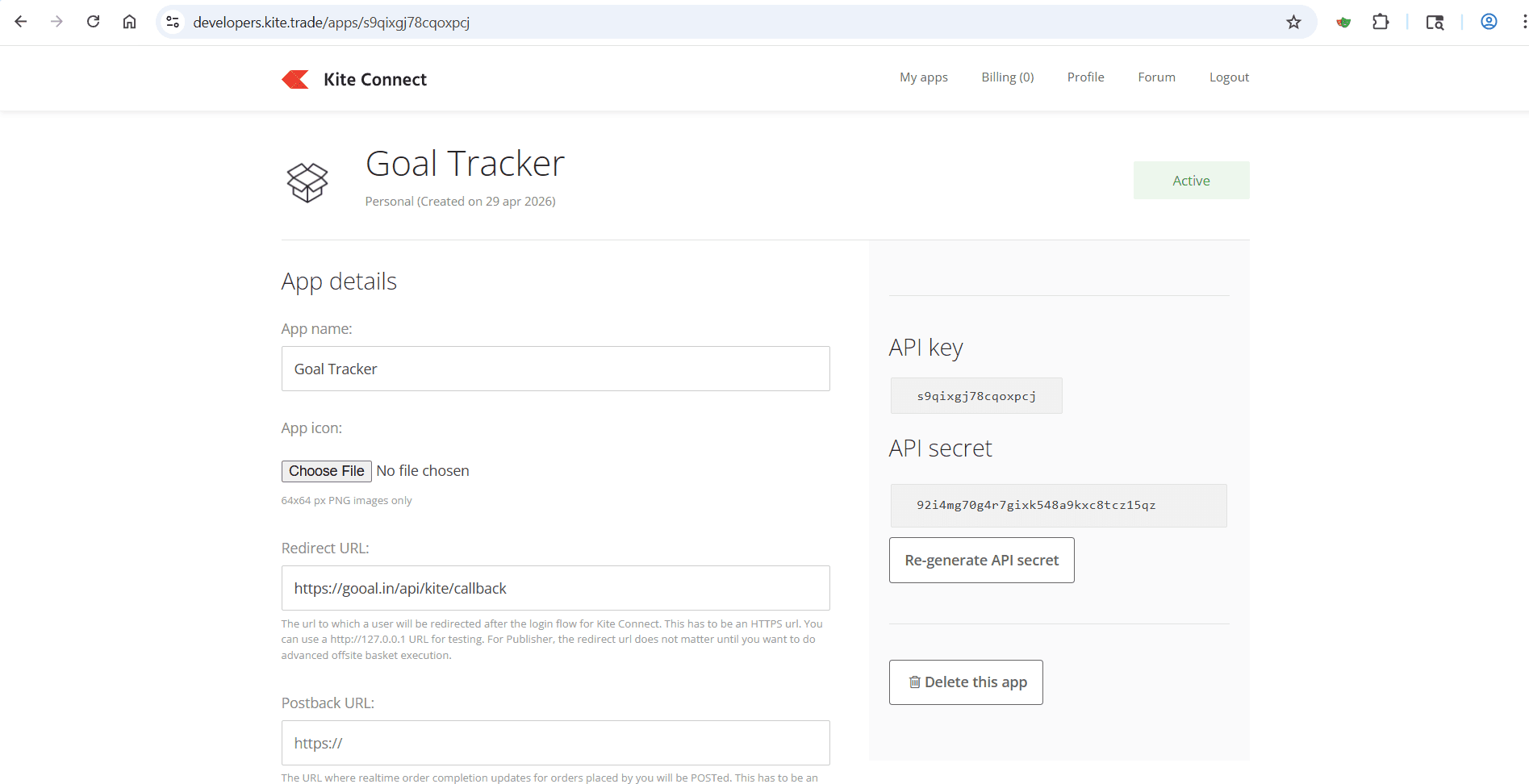
Open your newly created app and copy the API key and API secret. Paste them into Gooal once — they are encrypted with AES-256-GCM and never logged.
Need a deeper dive? Zerodha's Kite Connect documentation covers every detail.
Plain-English answers about XIRR, your data, and how Gooal actually talks to Kite.
Gooal is a goal-based investment tracker for Zerodha users in India. You connect your own Kite Connect Personal API key, tag each SIP to a personal goal (like 'Car by 2026' or 'Emergency fund'), and Gooal forecasts the date you will reach the goal using XIRR computed from your real order history.
Indian retail investors who already invest in mutual funds through Zerodha (Coin) and want to know whether their existing SIPs will actually reach specific life goals — without manually maintaining a spreadsheet.
Every SIP instalment is treated as a real cash flow. Gooal pulls your order history from Kite, computes XIRR (extended internal rate of return) from those cash flows and the latest NAV, and projects forward to the target amount you set for the goal. The forecasted completion date updates automatically when NAV or your contributions change.
Yes. You can split a single SIP across multiple goals by allocation percentage, or tag two or three different funds to the same goal. Allocations always sum to 100% per SIP.
No. Gooal never sees your Zerodha username, password, or 2FA. It only uses the Kite Connect Personal API key you generate yourself, and that key only authorises read access to your holdings and orders. Gooal cannot place trades, withdraw money, or move funds.
Your Kite API key and secret are encrypted at rest in the database with AES-256-GCM. They are decrypted in-memory only when Gooal needs to call Kite on your behalf. Plaintext credentials are never logged and never sent back to the browser.
No. SIP data, holdings, NAVs, and instalments are fetched live from Zerodha on demand. Gooal stores only goal metadata (name, target amount, target date, SIP-to-goal mapping) plus your encrypted credentials.
No. Gooal is not a broker, distributor, or investment advisor. It is a personal-finance tracking tool that visualises data from your own Zerodha account. All trades and investments continue to happen inside Zerodha.
Sign up at developers.kite.trade with your Zerodha credentials, create a free Personal app, set the redirect URL to https://gooal.in/api/kite/callback, then paste the API key and API secret into Gooal once. The whole setup takes about three minutes.
Gooal uses Zerodha's free Kite Connect Personal tier, which has no monthly fee for individual users. There is no broker charge added by Gooal for using your own credentials.
Yes. Each goal supports a what-if slider — you can simulate increasing or decreasing your monthly SIP and instantly see how the projected completion date moves earlier or later.
A spreadsheet drifts the moment NAVs change or you skip an instalment. Gooal pulls live data from Zerodha every time you open it, recomputes XIRR from your actual cash flows, and updates every goal's ETA automatically.
Setup guides · 5 min read
A 3-minute, screenshot-driven walkthrough for Indian Zerodha investors. Create a free Kite Connect Personal app, copy the API key and secret, and start tagging your SIPs to life goals on Gooal.
Read the guideSpreadsheet drift is real. Goals deserve a system that updates itself.
Reach out any time — I read every email and usually reply within a day.
techie.arunachalam@gmail.com